This is Car Drawing Game unblocked: the game above loads from cardrawing.org itself, so it runs in an ordinary browser tab on a school Chromebook, laptop or tablet — free, with no download, no extension and no account.
Car Drawing Game: one line, two wheels, one flag
Car Drawing Game has a sky, a strip of green ground and a chequered flag, and it asks you to supply the car. On the menu you pick Start, Chapters or Info. Start takes you to the next level, which is introduced by name: the first one is “Get Over It!”, a gap between two pieces of ground with a small ramp in front of it and the flag on the far side.
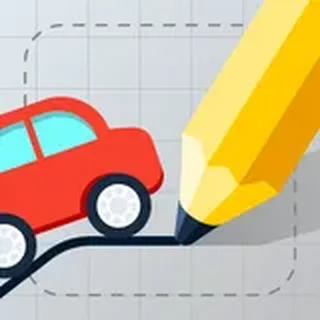
Then you draw. Press, drag, let go. The moment you release, your line becomes a rigid body, a wheel appears on each of its two ends, and the whole thing drops onto the ground and drives right under its own power. That is the entire control scheme. A long flat line makes a stable, low car. A tall arch makes something that clears boxes but tips over easily. A closed loop puts both wheels on the same spot and gives you a unicycle. The game is about finding the shape that fits the obstacle.
Levels are grouped into chapters of five — “The Start”, “That’s Wild!”, “What the…” and on — with names like Not Too Big, The Seesaw, Big Wheel, The Cogwheel, Box in the Way, Hard Box, The Plank, Unsecured Bridge and On the Hook. Finish one and the result card shows your medal, the number of attempts and the number of hints you used. The game is by Mathias Geisler, and its own Info screen says it is still in development and does not save progress, so a closed tab starts you from level 1 (the Chapters list lets you jump to any level).
Controls & mechanics
| Action | Control | Purpose |
|---|---|---|
| Draw the car | Press and drag with the mouse, or drag a finger | Let go to finish; the two ends of the line become the wheels |
| Drive | Nothing to press | The car drives right on its own as soon as it lands |
| Retry | The RETRY button at the top | Clears the car so you can draw a new shape; each try counts as an attempt |
| Pick a level | Menu → CHAPTERS, scroll, click a level name | PLAY ALL runs a whole chapter in order |
| Sound / menu | Speaker icon top-left, X top-right | The X leaves the level and goes back to the menu |
How to draw a car that makes it
- Wheels go where the line ends: Only the start and end points get wheels. Plan the two ends first, then decide what the line does between them.
- Wide wheelbase for gaps: A car with its wheels far apart bridges a hole that swallows a short one. For the first level, a wide arch rolls straight over the gap.
- Arch for boxes and bumps: An arch lifts the middle of the car high, so it can straddle a box or a spike instead of hitting it.
- Low and long for seesaws: Tall shapes rock and flip on moving platforms. A long, low line keeps the weight down.
- Draw at the right size: A huge drawing is heavy and can get stuck, and a tiny one falls into every crack. Level 2 is called “Not Too Big” for a reason.
- Retry early: If the car is clearly going to tip, press Retry at once. Waiting only wastes time, and the attempt counts either way.
Key features
- Your drawing is the car: Whatever line you draw becomes a rigid body with a wheel on each end.
- Real physics: Weight, momentum and balance come from the shape you draw: arches tip, long lines bridge, loops wobble.
- Chapters of five: Named levels like The Seesaw, Big Wheel, The Cogwheel, Hard Box and Unsecured Bridge, with PLAY ALL per chapter.
- Medals: Each level ends on a medal card with your attempts and hints counted.
- No keys to learn: One press-and-drag is the whole control scheme, with a mouse, a trackpad or a finger.
- Self-hosted: The Unity build runs from cardrawing.org, with no outside portal around it.
Game info
- Title: Car Drawing Game
- Developer: Mathias Geisler
- Category: Drawing Physics
- Platform: Web browser (HTML5)
- About the build: Car Drawing Game · Mathias Geisler · Unity 2018.3 WebGL (2019) · served from cardrawing.org
Pro tip: Before you draw, look where the trouble is — a gap, a box, a seesaw — and pick where the two wheels should sit. The line between them only has to keep the wheels apart and stay off the obstacle, so a simple arch solves more levels than a detailed car.