Car Drawing Game Chapters, Medals and Menus Explained
Published · 2 min read
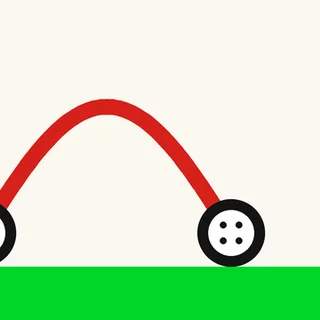
Car Drawing Game has very few buttons, which makes it easy to miss what they do. This guide goes through every screen, from the menu to the medal card, so you know where the levels are, what the results mean and what the game does and does not remember.
The menu
The menu has three buttons on a plain sky: Start, Chapters and Info. The speaker in the top-left corner mutes the sound, and it stays in that corner on every screen. Info is one honest card from the developer: the game is in development, your progress is not saved, and have fun. Continue takes you back.
Starting a level
Start opens the next level with a title card: the level name at the top, a sketch of the course with “START” and “FINISH!” arrows, the chequered flag, and a second Start button. The first time through, a dashed tutorial line shows the drawing motion. After that the screen is yours. Draw one line, let go, and the car drops in and drives.
During a level
While the car runs, two controls sit at the top: RETRY in the middle and an X on the right. Retry wipes the car and lets you draw again; each go adds one to your attempts. The X leaves the level and goes back to the menu.
Chapters
Chapters lists every level, grouped in fives under chapter titles. The first chapter, “The Start”, has Get Over It!, Not Too Big, The Seesaw, Big Wheel and The Cogwheel. “That’s Wild!” follows with Box in the Way, Hard Box, The Plank, Unsecured Bridge and On the Hook, and “What the…” comes after that. Scroll to see the rest. Next to each chapter is a live preview of one of its levels and a PLAY ALL button that runs the whole chapter in order. Clicking a single level name starts that level straight away, which is the only way to pick up where you left off.
The medal card
Reach the flag and the result card appears: a medal title at the top (GOLD in big yellow letters when you do well), a coin with the level number, crossed chequered flags, and two counters: ATTEMPTS and HINTS. In our run, level 1 on the first attempt with no hints gave gold. The build also contains a SILVER card. More attempts or hints earn a lower medal. Continue moves on to the next level, and the circular arrow in the corner replays the one you just finished.
What is saved
Nothing, and the game says so on its Info screen. Medals and progress last only until you close or reload the tab. That is less of a problem than it sounds, because the Chapters screen lets you open any level directly. Keep a note of the last level you reached, and next time go straight to it from Chapters.
Sound
The game has sound effects, and the speaker icon mutes them. The setting sits in the corner of every screen, so you can turn it off quickly in a quiet room.
Now you know the screens: play Car Drawing Game, and read how to draw a car that works.
More from the blog
- Car Drawing Game Tips: How to Draw a Car That Works
Plan the wheels first, then use the wide arch, the flat bar or the hook: the shapes that get Car Drawing Game cars to the flag.